

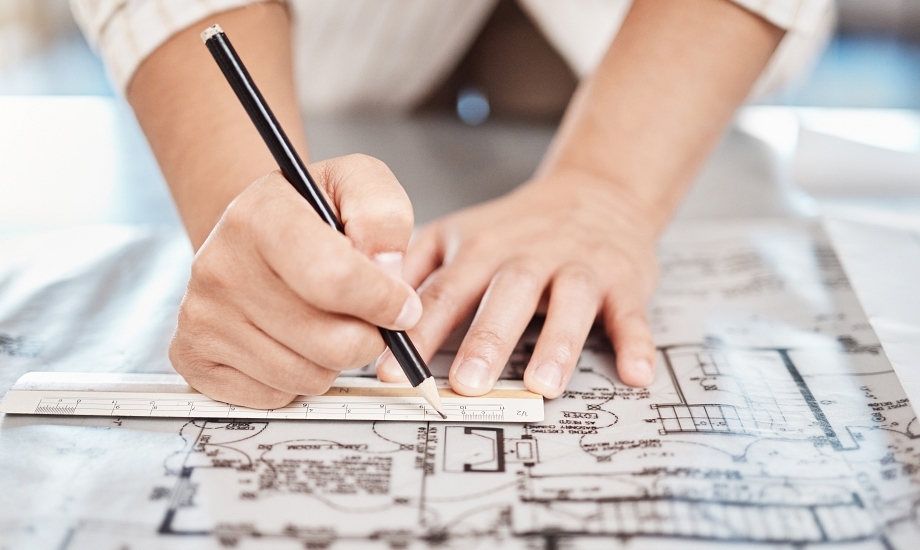
Technical drawings become real-world structures by transforming a design into a set of detailed, precise plans that guide construction. This process involves using Computer-Aided Design (CAD) software to create blueprints with specific dimensions, symbols, and material notations, which are then used by engineers, architects, and manufacturers to build anything from a small component to a large building.
Advanced technologies like Building Information Modeling (BIM) and virtual reality (VR) further enhance this process by allowing for simulation and detailed visualization before construction begins. Drafting and design technology translates technical drawings into real-world structures through a structured, multi-phase process that involves detailed documentation, collaboration, and modern construction techniques. Contact ITI Technical College today for more information.
Drafting And Design: From Drawings To Reality – Phase 1
 All structural and architectural plans begin with a few ideas in someone’s mind. Drafting and design come into play by creating drawings from these ideas in phase 1:
- Conceptualization and Schematic Design: The process begins with initial client consultations and site analysis to understand project requirements and constraints, such as budget, location, and building codes. Initial design ideas are explored through rough sketches and preliminary drawings using CAD software to establish a basic layout and form.
- Design Development: Once the schematic design is approved, the design is refined in detail. This phase involves specifying materials, finishes, and the exact dimensions of all components. The design team coordinates with engineers to integrate all building systems (structural, mechanical, electrical, plumbing), ensuring the design is functional and structurally sound.
- Construction/Manufacturing Documents: This is a critical phase where the design is translated into a comprehensive set of technical drawings and specifications that serve as the universal language and instruction manual for the builders or manufacturers. These documents include:
- Floor Plans, Elevations, and Sections: Detailed 2D and 3D views showing the layout and appearance of the structure from different angles.
- Detailed Specifications: Information on dimensions, tolerances (allowable deviations), materials, assembly procedures, and quality control standards.
- Annotated Symbols and Notations: Standardized symbols for electrical systems, plumbing, heating, and air conditioning ensure unambiguous communication across all teams, regardless of language.
- Bill of Materials (BOM): A comprehensive list of all required parts and materials for procurement and resource management.
|
“Technical drawings become real-world structures by transforming a design into a set of detailed, precise plans that guide construction.” |
Drafting And Design: From Building Codes To Construction – Phase 2
Once the basics are established in phase 1, drafters and architects move to phase 2. The drawings serve as a communication and collaboration tools for all involved parties, including architects, engineers, and construction workers. Builders use the technical drawings as their guide to physically construct the structure or manufacture the object. Today, technologies like BIM and VR are integrated with CAD to create “digital twins” that can simulate the real-world performance and lifecycle of a structure before it’s built.
 Permitting and Approval: The complete set of construction documents is submitted to local government authorities to obtain the necessary building permits and ensure compliance with safety codes and regulations.
- Bidding and Negotiation: Contractors use the construction documents to estimate costs, timelines, and the scope of work, leading to the selection of a builder or manufacturer for the project.
- Construction/Manufacturing and Assembly: The technical drawings act as the definitive guide on the construction site or factory floor. Contractors, construction crews, and CNC machines in manufacturing interpret and follow these precise instructions to build or assemble the structure or product. In modern manufacturing, CAD files can directly guide computer numerical control (CNC) machines to produce parts.
- Construction Administration and Quality Control: The design professionals continue to oversee the project during construction to ensure the work is executed according to the drawings and specifications. Regular site visits and inspections help address any issues and verify that the final structure adheres to the required standards.
By adhering to industry standards and using powerful software like CAD and Building Information Modeling, drafting and design technology bridges the gap between abstract ideas and tangible reality, ensuring accuracy, efficiency, and safety in the final product.
What Can I Expect From A Drafting And Design Technology Program?
A drafting and design technology program provides hands-on training in computer-aided design (CAD) and traditional drafting to prepare you for careers in various fields like architectural, mechanical, and civil drafting. You can expect to learn technical skills like creating 2D and 3D models using software like AutoCAD, Solidworks, and Revit, and gain knowledge in areas such as blueprint reading, design fundamentals, and manufacturing processes.
Programs also focus on developing professional skills, including problem-solving and communication, and often culminate in a professional portfolio of your work. ITI Technical College is here to develop your skills and knowledge for a career in Drafting and Design Technology with an Associate of Occupational Studies (AOS) Degree. Find out more about our programs and college by requesting information online.
For more information about graduation rates, the median debt of students who completed the program, and other important information, please visit our website: https://iticollege.edu/disclosures/