
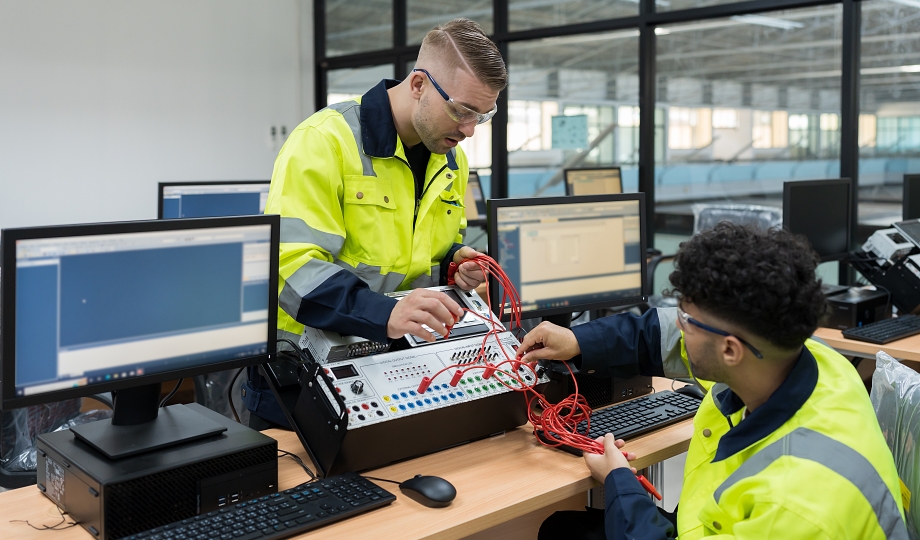
Students in the Automation and Instrumentation program at ITI Technical College master Programmable Logic Controllers (PLCs) by learning how industrial digital computers control machinery. The curriculum bridges electronics and software, teaching students to monitor sensor inputs, process logic, and control automated equipment safely and efficiently. Contact us today for more information.
PLC In Automation: Core Concepts And Skills Taught
Students at ITI Technical College receive hands-on instruction (both in the classroom and laboratory) that builds a deep, working knowledge of industrial controls. Key areas of focus in PLC and automation include:
- Basic PLC Operations: Understanding how a PLC continuously repeats a four-step process: reading inputs, executing programs, updating outputs, and repeating.
- System Architecture: Understanding the Central Processing Unit (CPU), power supply modules, and memory.
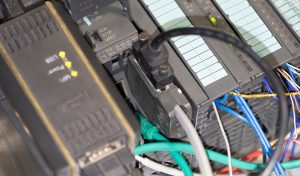 Input & Output (I/O) Devices: Learning how to interface PLCs with environmental sensors (e.g., limit switches, proximity sensors) and actuators/output devices (e.g., motors, solenoid valves, buzzers).
- Ladder Logic Programming: Translating control logic into code that mimics electrical relay circuits. Students learn basic instructions like Examine if Closed (XIC) and Examine if Open (XIO), as well as more complex latching (seal-in) circuits.
- Advanced PLC Applications: Moving beyond basic on/off sequencing into more complex industrial processes, process control theory, and hardware.
Supporting Technologies And Hardware
To ensure readiness for real-world manufacturing, such as oil, gas, food, beverage, chemical, and water treatment environments, students also become proficient with industry-standard test equipment and software in the automation school in Louisiana.
Diagnostic tools, such as Digital Multimeters (DMMs), oscilloscopes, function generators, and logic probes, are used in training labs to gain knowledge of and skills in their use. Writing and testing application programs using simulation software are studied before uploading them to physical PLC hardware. Electrical principles are demonstrated by translating relay schematics into PLC architecture and understanding wiring and I/O addressing in automation systems technology.
Instrumentation and measurement practice exercises are used to explain temperature, hydraulics, pressure, flow, and valves—crucial components in industrial measurement and control. Students learn how to apply low-voltage and fiber terminations to processes.
Programming Languages and Logic
Students master universal PLC programming languages—most notably Ladder Logic (LAD), which mimics electrical relay circuits.
- Basic Instructions: Learning series/parallel logic, normally open (NO) / normally closed (NC) contacts, and latching/unlatching circuits.
- Timers and Counters: Programming on-delay, off-delay timers, and up/down counters for automated sequencing.
- Advanced Commands: Using math and move commands, data manipulation, and arrays.
| “The curriculum bridges electronics and software, teaching students to monitor sensor inputs, process logic, and control automated equipment safely and efficiently.” |
Troubleshooting and Maintenance
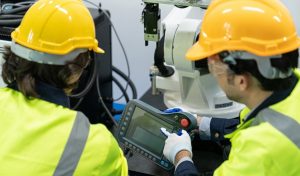 A major part of automation training is diagnosing and fixing system faults in troubleshooting and maintaining production. Technicians maintain factory automation uptime by executing a structured 5-step diagnostic approach: verify the power supply (incoming voltage and PLC power LED), test input signals (sensors/switches), check output modules (relays/contactors), monitor the program logic (online debugging), and validate communication networks.
Systematic Troubleshooting: When a machine suddenly stops or misbehaves, avoid random testing. Instead, use this diagnostic hierarchy:
- Safety First: Lock out and tag out (LOTO) hazardous energy sources before opening panels.
- Consult Operators & Logs: Gather context on what the machine was doing when the failure occurred. Review the timestamped error logs via your Human-Machine Interface (HMI) or control software.
- The 5-Step Method:
- Power: Verify that the main power supply and the 24V auxiliary power are stable to prevent processor crashes or false sensor readings.
- Inputs: Check if the corresponding input LEDs turn on when field devices (sensors, push buttons) are activated. Use a multimeter to confirm the exact voltage.
- Outputs: Ensure the PLC is commanding the output. If the indicator light is on but the field device (motor, cylinder) doesn’t react, check for blown fuses or tripped overloads.
- Program Logic: Go online with your programming software (e.g., TIA Portal, RSLogix) to monitor ladder logic in real-time and step through state machines.
- Communication: Verify fieldbus connections (Profinet, Ethernet/IP, Modbus). Broken cables or IP conflicts can halt entire production lines.
Preventive Maintenance: Routine maintenance minimizes hardware failure and unscheduled downtime. Practice these steps regularly and thoroughly:
-
- Thermal Management: Clean enclosure filters and fans regularly. Dust buildup and high temperatures cause premature degradation of the processor and I/O components.
- Inspect Wiring: Annually check terminal blocks and relay contacts for corrosion, oxidation, or looseness due to factory vibration.
- Backups & Updates: Consistently back up your PLC programs (and HMI screens) to a secure, centralized server. Keep PLC firmware updated to the manufacturer’s stable baseline.
- Battery Replacement: Track and replace PLC backup batteries (which retain RAM during power cycles) on a strict schedule, typically every 2 to 5 years depending on the model.
- Software Tools: Use programming and simulation software (such as Rockwell’s Studio 5000, RSLogix, or Factory IO) to build, test, and debug code.
- Diagnostics: Monitoring forces and online edits, reading analog inputs, and conducting PLC safety and risk analysis.
Broader PLC In Automation Curriculums
PLC programming is often just one piece of the puzzle in automation applications. At ITI Technical College, students are trained in a wide variety of overlapping automation disciplines:
- Robotics: Programming and operating robots that perform industrial tasks such as material handling and assembly. Programming touch-screen displays that allow operators to monitor and interact with the automated process.
- Microprocessors: Studying microprocessor architecture, basic I/O systems, and Arduino platforms to design and construct a final control project of students’ choosing.
- Motor Control and Drives: Interfacing PLCs with Variable Frequency Drives (VFDs) to regulate motor speed.
- Communication Networks: Understanding network technologies and industrial protocols, such as Modbus and Ethernet over TCP/IP.
- Technical Writing & PC Skills: Gaining familiarity with computer software like Microsoft Office and Excel for documentation and reporting.
Learn professional PLC programming basics and more in ITI Technical College’s Automation & Electronic Systems Technology (AOS) Associate in Occupational Studies Degree Program. Go online to request information about this program and our college.
Disclosure:
For more information about graduation rates, the median debt of students who completed the program, and other important information, please visit our website: https://iticollege.edu/disclosures/