

Computer-aided drafting, usually called CAD, is the use of software to create precise technical drawings for buildings, machines, piping systems, and electrical layouts. Instead of pencils, T-squares, and paper, drafters build drawings on a computer, where every line has an exact length and a change can be made in minutes. If you are curious about a career that blends technology, design, and problem solving, learning how computer aided drafting works is a good first step. Contact ITI Technical College today for more information.
What Is Computer-Aided Drafting?
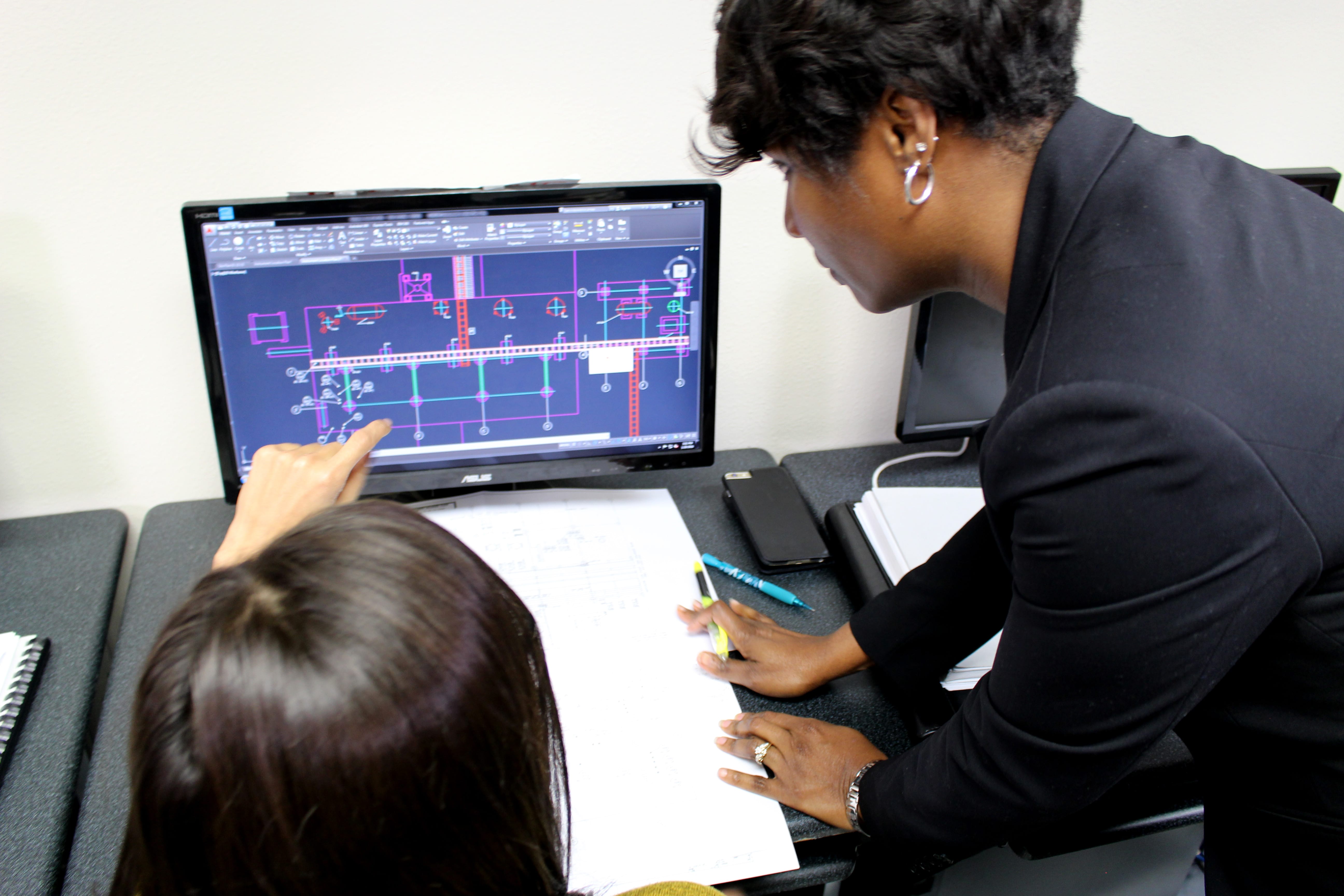 Computer-aided drafting is the process of producing technical drawings with software. A CAD drawing shows the exact size, shape, and position of every part of a design, along with the notes, dimensions, and symbols that tell builders and manufacturers what to make. Drafters work from sketches, field measurements, specifications, and calculations provided by engineers and architects, and they turn that information into drawings that other people can build from.
Much of the drafting work done today is in two dimensions (2D), such as floor plans, elevations, and schematics. Many projects also use three-dimensional (3D) models that let a team see how parts fit together before anything is built. AutoCAD is one of the most widely used programs for this work. To learn more about the software and equipment found at a modern drafting station, read what the modern drafter uses.
How Computer-Aided Drafting Replaced Hand Drafting
There was a time when drafting professionals created every drawing by hand with pencils, scales, and drafting boards. A single change could mean redrawing an entire sheet. CAD software changed that. Drafters can now copy standard parts, organize drawings in layers, and update a dimension across a full set of drawings in a fraction of the time.
CAD files also move easily between team members. An architect, an engineer, and a contractor can review the same drawing, and a manufacturer can use digital files to guide automated equipment. Because of this, computer-aided drafting skills are a core part of most drafting work today.
Where Computer-Aided Drafting Is Used
Drafters often specialize in one type of drawing. Some of the most common areas include:
- Architectural drafting: floor plans, elevations, and construction details for homes and commercial buildings.
- Civil and structural drafting: drawings for roads, bridges, drainage systems, and building structures. The O*NET profile for architectural and civil drafters describes this work in more detail.
- Mechanical drafting: parts, tools, and machinery drawn with exact dimensions and tolerances. You can read more in things to know about mechanical drafting and design.
- Pipe drafting: piping layouts for plants and refineries, a common need in industrial areas of Louisiana.
- Electrical and instrument drafting: wiring diagrams, control panels, and instrument layouts.
Skills You Need for Computer-Aided Drafting
Knowing how to use CAD software is only one part of the job. Drafters also build skills such as:
- Reading and interpreting engineering drawings, notes, and field measurements
- Practical math, including algebra, geometry, and trigonometry
- Understanding drafting standards, symbols, and terminology
- Attention to detail, since a small error on a drawing can cause problems on a job site
- Clear written and verbal communication with engineers, architects, and clients
Careers and Job Outlook for Drafters
 People with computer-aided drafting skills can pursue entry-level roles such as draftsperson, CAD draftsperson, engineering technician, or estimator. They may work for engineering firms, architectural offices, manufacturers, construction companies, and industrial plants.
According to the Bureau of Labor Statistics (BLS), the median annual wage for drafters was $68,090 in May 2025. The BLS also projects about 14,400 openings for drafters each year, on average, from 2025 to 2035, mostly to replace workers who move to other occupations or retire. Over the same period, the BLS projects that employment of architectural and civil drafters will grow 5 percent.
How to Learn Computer-Aided Drafting
Most drafters complete formal training after high school. A structured program teaches CAD software together with the math, drawing techniques, and industry standards used on the job.
At ITI Technical College, the Associate of Occupational Studies (AOS) Degree in Drafting & Design Technology includes four courses in Basic AutoCAD and a thorough study of computer-aided drafting, along with practical mathematics, pictorial drawing techniques, graphic engineering data, and assembly drawing. Students also choose a combination of two specialties, such as pipe, instrument and electrical, civil and structural, or architectural drafting. The program is taught four days per week in morning or evening sessions and takes 96 weeks to complete. For details about schedules, admissions, and start dates, you can request information from our admissions team.
Frequently Asked Questions About Computer-Aided Drafting
What Does CAD Stand For?
CAD stands for computer-aided drafting or computer-aided design. In drafting, both terms describe using software to create accurate technical drawings.
Is Computer-Aided Drafting the Same as Computer-Aided Design?
The two terms are often used interchangeably. Computer-aided design usually refers to the broader process of creating and refining a design, while computer-aided drafting focuses on the detailed drawings and documentation needed to build it.
What Software Do Drafters Use?
AutoCAD is one of the most common programs for 2D and 3D drafting. Depending on the industry, drafters may also use building information modeling (BIM) and other 3D modeling software.
How Do People Train for Computer-Aided Drafting?
Requirements vary by employer. The BLS notes that drafters usually complete postsecondary education in drafting, often through a program at a community college or technical school.
Start Your Path in Computer-Aided Drafting
Computer-aided drafting turns ideas into plans that people can build, and it is a skill used across construction, manufacturing, and energy. If you want to build these skills through hands-on training, explore the Associate of Occupational Studies (AOS) Degree in Drafting & Design Technology at ITI Technical College. Financial aid may be available to those who qualify.
For more information about graduation rates, the median debt of students who completed the program, and other important information, please visit our website: https://iticollege.edu/disclosures/