
Students acquire knowledge of and skills in various areas of information technology training essential for their future careers. They learn concepts from programming languages to networking to operating systems. Two operating systems students should have a working knowledge of are UNIX and Linux.
{UNIX} is a proprietary, vendor-specific operating system created in the 1970s for mainframes, whereas {Linux} is a free, open-source, UNIX-like OS created in the 1990s. Linux is highly flexible, running on diverse hardware (from smartphones to servers), while UNIX is generally tailored for specialized enterprise hardware. Contact ITI Technical College today for more information.
UNIX VS Linux: UNIX Explained
 UNIX is a powerful, portable, multitasking, and multi-user operating system developed by Bell Labs researchers like Ken Thompson and Dennis Ritchie. It uses a hierarchical file system and a command-line interface (shell) to manage computer resources. It influenced many modern systems, including Linux and macOS. Key details about UNIX include:
- Core Components: It consists of the kernel (managing hardware), the shell (command interpreter), and system utilities.
- Origins: Created in 1969-1970 as a simpler alternative to the Multics project.
- Key Features: Designed to be portable (written in C language), secure (with user permissions), and capable of handling multiple users and tasks simultaneously.
- Evolution: While original proprietary Unix versions exist, modern “Unix-like” systems such as Linux and BSD are widely used today.
Unix has shaped modern computing, particularly in server, cloud, and scientific environments due to its stability and efficiency.
UNIX VS Linux: Linux Explained
Linux is a free, open-source operating system (OS) launched in 1991 by Linus Torvalds. It serves as a secure, reliable foundation for computers, servers, and devices, managing hardware resources through a kernel. Unlike Windows or macOS, Linux is highly customizable and comes in various “distributions” (distros), such as Ubuntu, Fedora, and Debian. Its key aspects include:
- Open Source: The source code is freely available to view, modify, and redistribute.
- The Kernel: Technically, “Linux” is just the kernel (the core engine), while the full OS combines it with software tools and applications.
- Distributions (Distros): Packaged versions of Linux are tailored for different uses (e.g., Ubuntu for desktops, CentOS for servers).
- Versatility: It runs on everything from small IoT devices and smart TVs to the world’s top 500 supercomputers.
- Cloud & Server Dominance: Linux powers most of the internet and roughly 90% of public cloud workloads.
Linux is favored for its stability, security, and flexibility, making it a popular choice for developers, IT professionals, and personal computing, especially on older hardware.
|
“Two operating systems students should have a working knowledge of are UNIX and Linux.” |
Key Differences Between UNIX And Linux
 To begin, there is a difference in cost and licensing. Linux is free and open-source (GNU General Public License), while UNIX is commercial and proprietary. Linux source code is accessible, allowing user modification. UNIX source code is closed, often proprietary to companies like IBM or Oracle.
Linux is highly portable and runs on many platforms (x86, ARM), while UNIX is typically locked to specific hardware. Linux is developed by a vast community of developers, whereas UNIX has official vendor-specific support. Their file systems are different because Linux commonly uses ext3 or ext4, and UNIX uses varied systems, including jfs, zfs, and gpfs.
Although differences prevail, there are some similarities between UNIX and Linux. They are both powerful, POSIX-compliant, multi-user, and multitasking operating systems that utilize a similar hierarchical file system structure. They share a common heritage in command-line interface (CLI) philosophy, utilizing many of the same commands (ls, cp, mv, cd) and employing a monolithic kernel architecture.
What Information Technology Students Learn About UNIX And Linux
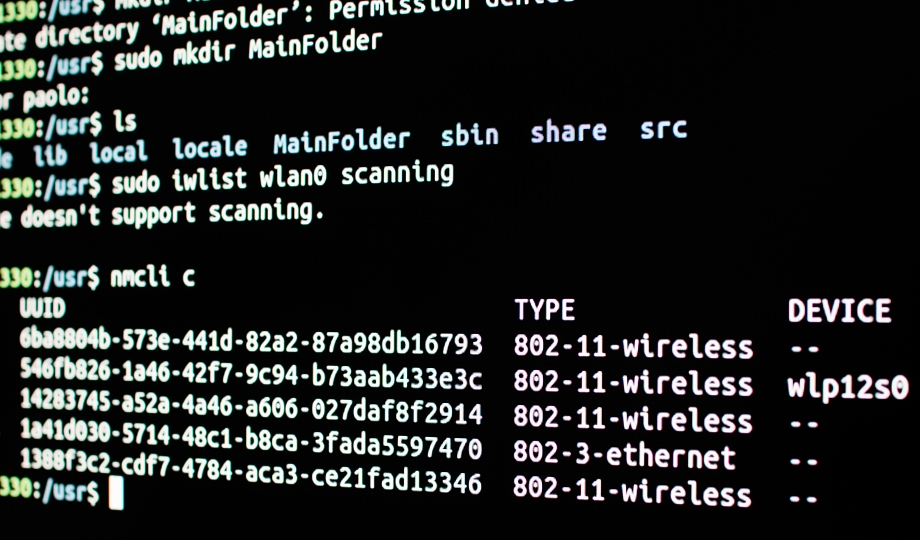
Information technology students learn to manage, configure, and script within UNIX/Linux environments, focusing on command-line proficiency (Bash), file system navigation, permissions, process management, and networking. Key skills include using tools like grep, awk, and sed, managing user accounts, automating tasks with shell scripting, and administering system packages (APT/YUM). Students learn these core competencies:
- Command Line & Shell: Navigating file systems (
cd,pwd,ls), manipulating files/directories (mkdir,rm,cp,mv), and usingvi - System Administration: Managing user accounts, permissions (
chmod,chown), and processes (ps,top,kill). - Networking & Security: Configuring network settings, using SSH, and managing firewalls.
- Scripting & Automation: Writing Bash scripts to automate tasks.
- System Architecture: Understanding the kernel, shell, and file system hierarchy.
- File Permissions: Understanding read, write, and execute permissions for users, groups, and others.
- Process Control: Managing running applications and system resources.
- Package Management: Installing and updating software using dpke/APT (Deboam/Ubuntu) or
RPM/yum(RedHat/CentOS).
For more, read how can you benefit from Linux for an IT career. You can also learn more about this topic in Linux skills for cybersecurity.
We invite you to join us at ITI Technical College by enrolling in our Information Technology Program that leads to an Associate of Occupational Studies (AOS) Degree.
Disclosure:
For more information about graduation rates, the median debt of students who completed the program, and other important information, please visit our website: https://iticollege.edu/disclosures/