


Root access in UNIX systems provides absolute, unrestricted control over the entire operating system, enabling the ability to read, write, or delete any file, install software, and modify kernel configurations. This level of access poses extreme risks, including catastrophic data loss from simple errors (e.g., rm -rf /), severe security breaches via malware installation, and easy exploitation by attackers targeting the system.
If you are enrolled in a technical college, trade school, or community college information technology program, you will develop a working knowledge of the elaborate dangers of root access in UNIX systems. Let’s further explore this part of your information technology education. Contact ITI Technical College today for more information.
Root Access In UNIX Systems
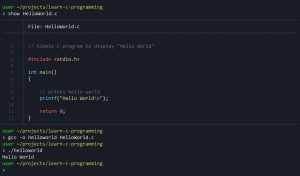 Root access, often called “superuser” access, provides unrestricted, administrator-level control over an operating system’s files, commands, and settings. It bypasses standard security restrictions, allowing users to modify core system files, install specialized apps, and remove pre-installed software. It is primarily used on Android (rooting) and Linux/Unix servers. Key aspects of Root Access include:
- Total Control: Users can access and edit all files, including protected operating system files, allowing for deep customization.
- System Modification: Enables changing system-level settings, overclocking processors, and installing custom ROMs.
- Risks: Rooting or using root access can lead to security vulnerabilities, malware susceptibility, and bricking (breaking) the device.
- Android Rooting: The process of gaining this access on Android, which enables removing bloatware and using advanced apps.
- Server Usage: In server management (e.g., VPS), root access is used to configure networks, firewalls, and install software, acting as the highest level of administrative privilege.
- Advanced Users: While it offers significant customization, it is generally intended for advanced users due to the risk of breaking the operating system.
Key Dangers Of Root Access In UNIX Systems
A total system compromise may occur because attackers gaining root access take full control of the system, allowing them to steal data, create backdoors, or turn the system into a botnet node. A single command entered incorrectly while logged in as root, such as rm –rf /(which deletes all files), can irrevocably destroy the entire operating system.
Irreversible file damage may occur because files created by root are owned by root, which can cause permissions issues and prevent applications from running properly. Using root for routine tasks makes the system vulnerable to malware, as malicious scripts run with full privileges, enabling them to alter system configurations and increase attack surface. Root accounts can become brute-force targets because they are the primary goals for hackers, making direct external root logins a major security risk.
|
“This level of access poses extreme risks.” |
Best Practices To Mitigate Risk: Core Principles And Technical Practices
If your organization or school has not discovered the best practices to mitigate risks, it’s time to learn and apply them. Mitigating risks associated with root access in UNIX systems relies on the core principles of least privilege and robust access controls. The following are industry-wide successful practices:
Core Principles
- Avoid Direct Root Login: The most critical practice is to disable direct interactive logins for the
rootUsers should log in with their individual accounts and only elevate privileges when necessary. - Use
Sudofor Privileged Tasks: Employ thesudocommand to grant specific users the ability to execute authorized commands with elevated privileges. This provides granular control and a critical audit trail by logging each action, enhancing accountability. - Implement the Principle of Least Privilege: Ensure all user and service accounts have only the minimum permissions necessary to perform their required job functions. Regularly review and audit these permissions.
- Audit Usage: Use privileged access management tools to log and monitor administrative actions.
Technical Best Practices
- Secure Remote Access (SSH):
- Disable direct root SSH logins in the
/etc/ssh/sshd configurefile to prevent remote root logins to stop brute-force attacks by setting PermitRootLogin no - Use SSH key-based authentication instead of passwords for enhanced security.
- Change the default SSH port (22) and use tools like fail2ban to protect against brute-force attacks.
Authentication and Access Control:
- Enforce strong, unique password policies (e.g., minimum 12-14 characters, complexity requirements) and use a password manager.
- Enable multi-factor authentication (MFA) for all privileged accounts, including
root(for exceptional “break glass” scenarios), to add a vital extra layer of security. - Configure session timeouts to automatically log out idle users after a specified period of inactivity.
Best Practices To Mitigate Risk: System Hardening, Monitoring, And Operations
There are additional ways to mitigate risks associated with root access in UNIX systems. You can employ system hardening, monitoring, and operational best practices.
System Hardening And Monitoring:
- Keep all systems regularly updated with the latest security patches and software updates to address known vulnerabilities.
- Disable unnecessary services and close unused ports to reduce the system’s attack surface.
- Utilize Mandatory Access Control (MAC) systems like SELinux or AppArmor to limit even the
rootuser’s capabilities, confining processes to the minimum access required. - Log all privileged activity and monitor these logs for suspicious behavior or anomalies.
Operational Best Practices
- Eliminate Shared Accounts: Ensure that administrators have their own unique account to maintain accountability and traceability of all actions performed on the system.
- Document and Plan: Create and maintain clear, well-documented procedures for using
rootcredentials and an incident response plan for when access is compromised. - Regular Auditing and Backups: Conduct regular security audits of user access privileges and system configurations. Maintain regular, secure backups to ensure data integrity and system recovery in case of a breach.
For more, read information security training. You can also learn more about this topic in the importance of information systems security.
In summary, learn about the dangers of root access in UNIX systems and how to mitigate them in an Information Security School. ITI Technical College is a great place to earn an Information Technology (AOS) Associate in Occupational Studies Degree.
Disclosure:
For more information about graduation rates, the median debt of students who completed the program, and other important information, please visit our website: https://iticollege.edu/disclosures/